
48 lines
2.4 KiB
Markdown
48 lines
2.4 KiB
Markdown
<!--
|
|
<<< Author notes: Step 4 >>>
|
|
Start this step by acknowledging the previous step.
|
|
Define terms and link to docs.github.com.
|
|
-->
|
|
|
|
## Step 4: Pull your image
|
|
|
|
_Now things are running! :sparkles:_
|
|
|
|
Whoa, now things are running! This may take a few minutes. This might take a tiny amount of time, so grab your popcorn :popcorn: and wait for the build to finish before moving on.
|
|
|
|
To pull the Docker image, we need to log into Docker first.
|
|
|
|
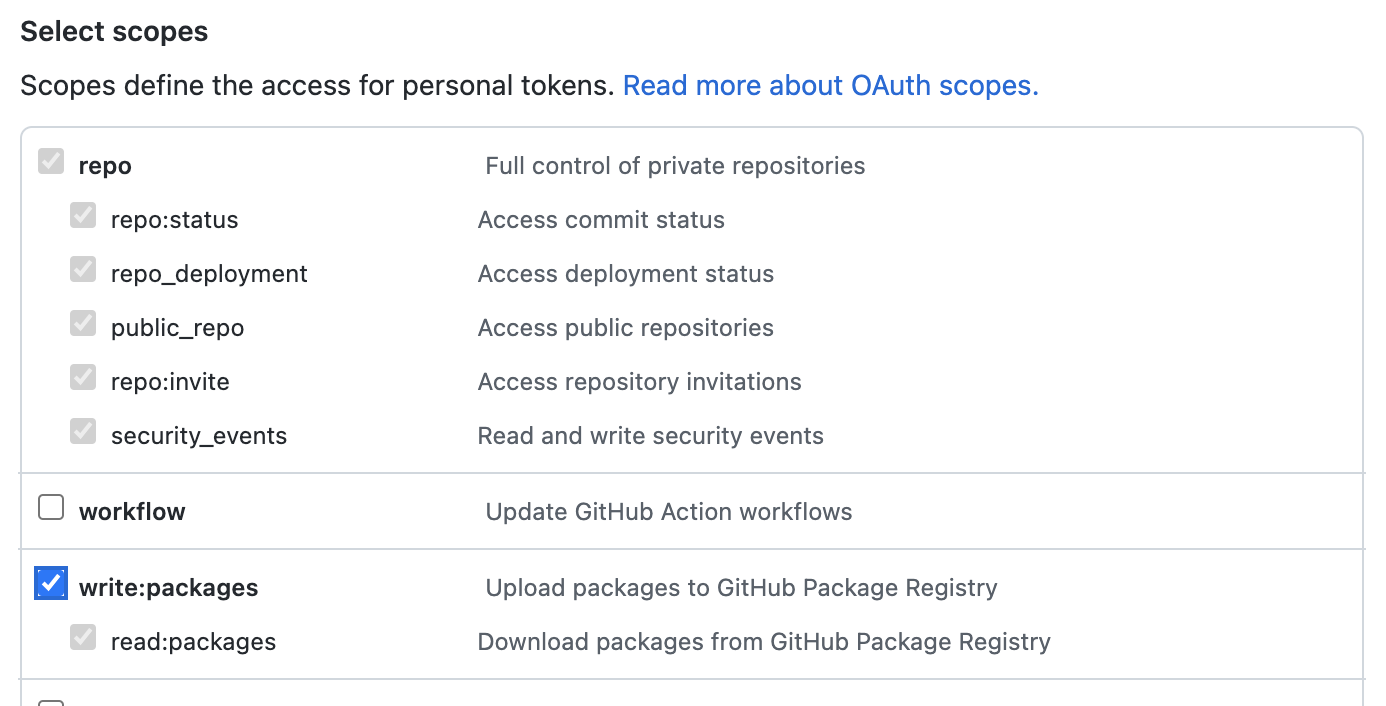
Before we can use this Docker image, you will need to generate a [personal access token](https://docs.github.com/en/authentication/keeping-your-account-and-data-secure/creating-a-personal-access-token) that contains the following permissions:
|
|
|
|
- repo (all)
|
|
- write:packages
|
|
- read:packages
|
|
|
|
|
|
|
|
We will use this token to log in to Docker, and authenticate with the package.
|
|
|
|
1. Open your terminal (Bash or Git Bash recommended).
|
|
1. Use the following command to log in:
|
|
```bash
|
|
docker login ghcr.io -u USERNAME
|
|
```
|
|
1. Replace `USERNAME` with your GitHub username.
|
|
1. Enter your new Personal Access Token as the password.
|
|
1. Press **Enter**.
|
|
|
|
If everything went well, :crossed_fingers: you should see `Login Succeeded` in your terminal.
|
|
|
|
### :keyboard: Activity: Pull your image
|
|
|
|
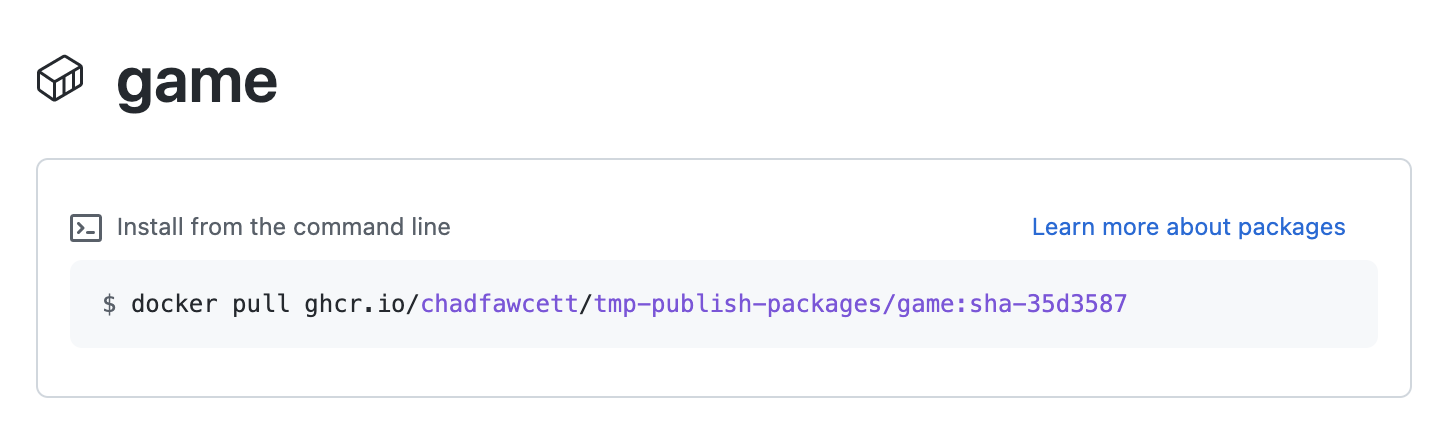
1. Copy and paste the `pull` command from the package instructions into your terminal. It should look something like this:
|
|
- `docker pull ghcr.io/YOURNAME/publish-packages/game:TAG`
|
|
|
|
- _Tip: To reach this page, click the **Code** tab at the top of your repository. Then, find the navigation bar below the repository description, and click the **Packages** heading link_
|
|
1. Replace `YOURNAME` with your GitHub username.
|
|
1. Replace `TAG` with the image tag.
|
|
1. Press **Enter**.
|
|
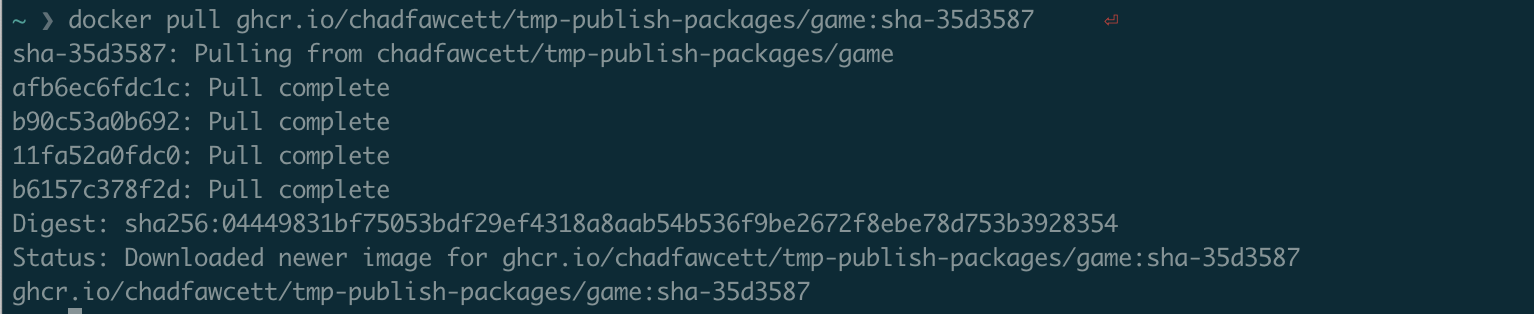
1. You should see output indicating that the pull was successful, like `Status: Downloaded newer image for ghcr.io/YOURNAME/publish-packages/game:TAG`.
|
|
|
|
1. _We can't automatically verify this step for you, so please continue on to the next step below!_
|