
2.4 KiB
2.4 KiB
Step 4: Pull your image
Now things are running! ✨
Whoa, now things are running! This may take a few minutes. This might take a tiny amount of time, so grab your popcorn 🍿 and wait for the build to finish before moving on.
To pull the Docker image, we need to log into Docker first.
Before we can use this Docker image, you will need to generate a personal access token that contains the following permissions:
- repo (all)
- write:packages
- read:packages
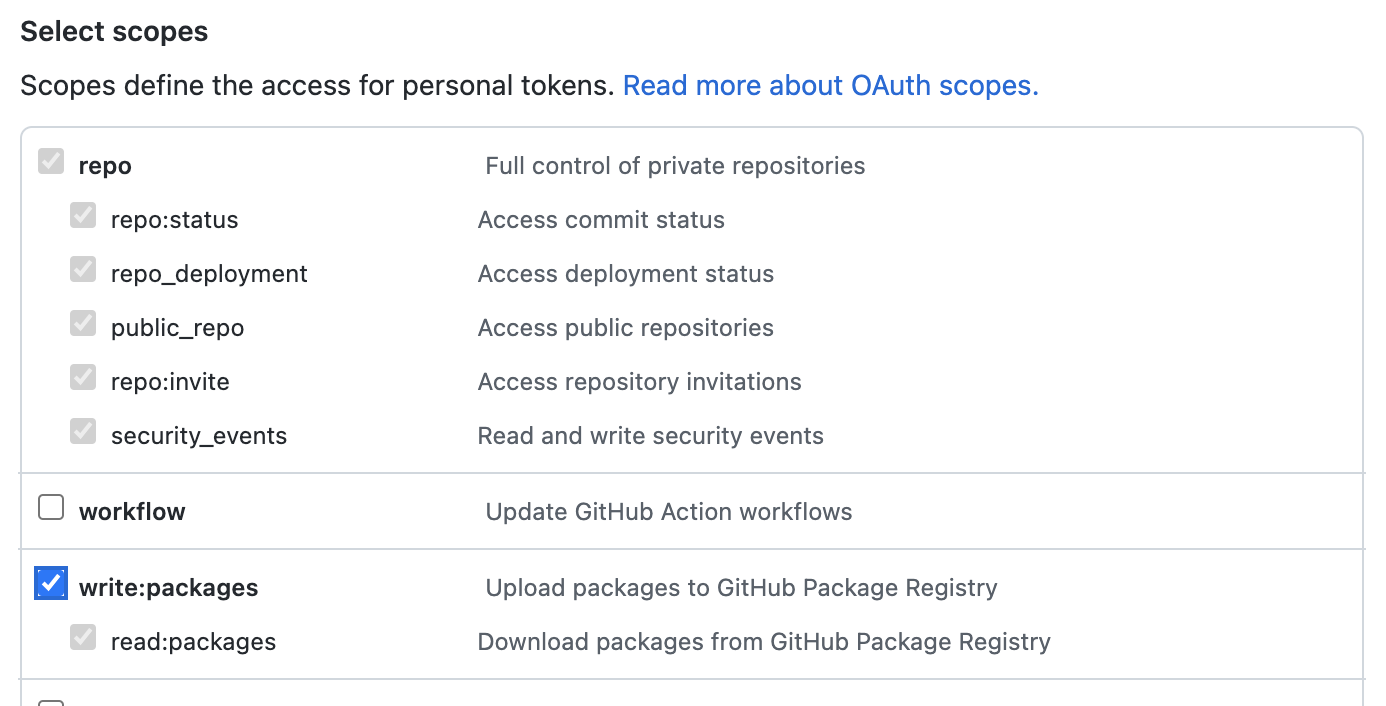
We will use this token to log in to Docker, and authenticate with the package.
- Open your terminal (Bash or Git Bash recommended).
- Use the following command to log in:
docker login ghcr.io -u USERNAME - Replace
USERNAMEwith your GitHub username. - Enter your new Personal Access Token as the password.
- Press Enter.
If everything went well, 🤞 you should see Login Succeeded in your terminal.
⌨️ Activity: Pull your image
- Copy and paste the
pullcommand from the package instructions into your terminal. It should look something like this:docker pull ghcr.io/YOURNAME/publish-packages/game:TAG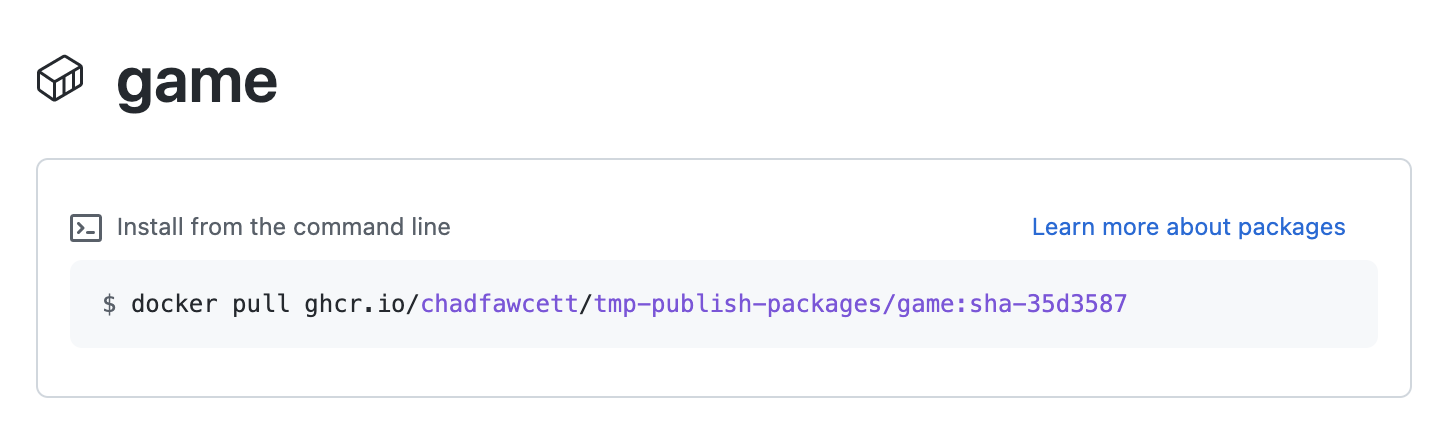
- Tip: To reach this page, click the Code tab at the top of your repository. Then, find the navigation bar below the repository description, and click the Packages heading link
- Replace
YOURNAMEwith your GitHub username. - Replace
TAGwith the image tag. - Press Enter.
- You should see output indicating that the pull was successful, like
Status: Downloaded newer image for ghcr.io/YOURNAME/publish-packages/game:TAG.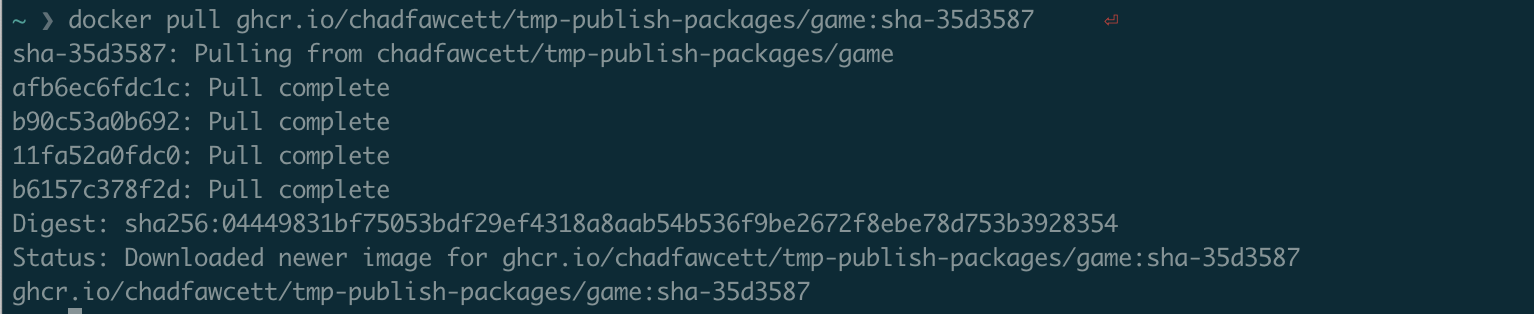
- We can't automatically verify this step for you, so please continue on to the next step below!