 Diego Velásquez López
bd6bb66279
Diego Velásquez López
bd6bb66279
* app updated

* readme updated

* rename base folder

* update chatty's readme

Co-authored-by: Neevash Ramdial <mail@neevash.dev>
1.5 KiB
1.5 KiB
Stream Chatty
Stream Chatty is a sample chat app made in Flutter using Stream Chat, Firebase, and flutter_bloc. It has full light and dark mode support, real-time chat, and full authentication using Firebase auth.
Stream Chatty was created by Diego Velasquez as part of a Youtube series. A step by step guide to building Stream Chatty from scratch can be found here:
- Part 1 - https://www.youtube.com/watch?v=H7FjCWHmP9Y => Project Structure, StreamChat, flutter_bloc
- Part 2 - https://www.youtube.com/watch?v=xGXvgrA_vNY => Clean Architecture, dependency injection, auth, storage, chat
- Part 3 - https://www.youtube.com/watch?v=EVvGdFc4SvQ => UI/UX, customizing StreamChat and demo
Activate English subtitles
Image
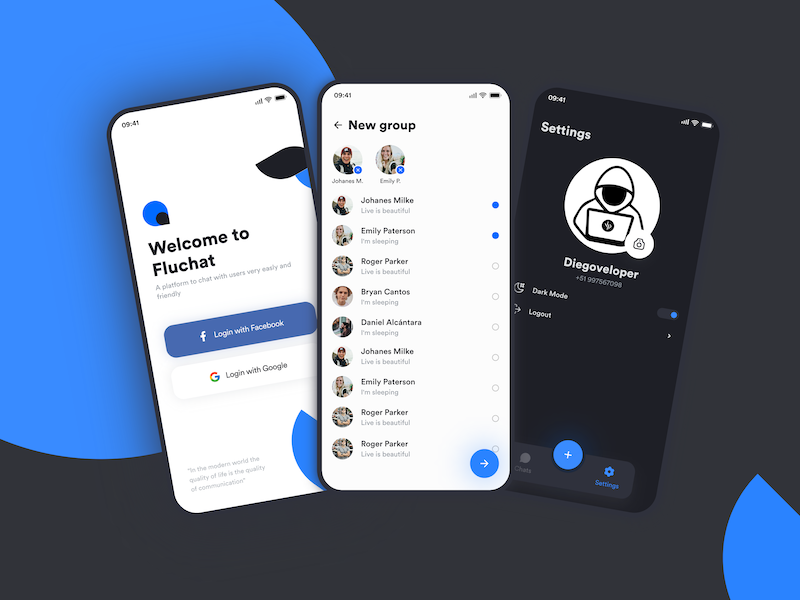
Design
- https://dribbble.com/shots/15263978-Fluchat
- https://projects.invisionapp.com/prototype/Chat-App-cklk8tiia002tqz01u0q1u3cl/play/9ef3ca44
Diego's Networks
- www.twitter.com/diegoveloper
- www.youtube.com/diegoveloper
Features
- Login using Firebase Auth and Google Sign In
- Upload pictures using Firebase Storage
- Realtime chat using StreamChat package
- Dark mode/Light mode
- State Management using flutter_bloc and cubits
Installation
- Clone project
- Configure Firebase (google-services.json and Google-Service.info.plist files)
- Configure Google Sign In
- Configure your Stream project